What you need to practice. What you keep for the stage.
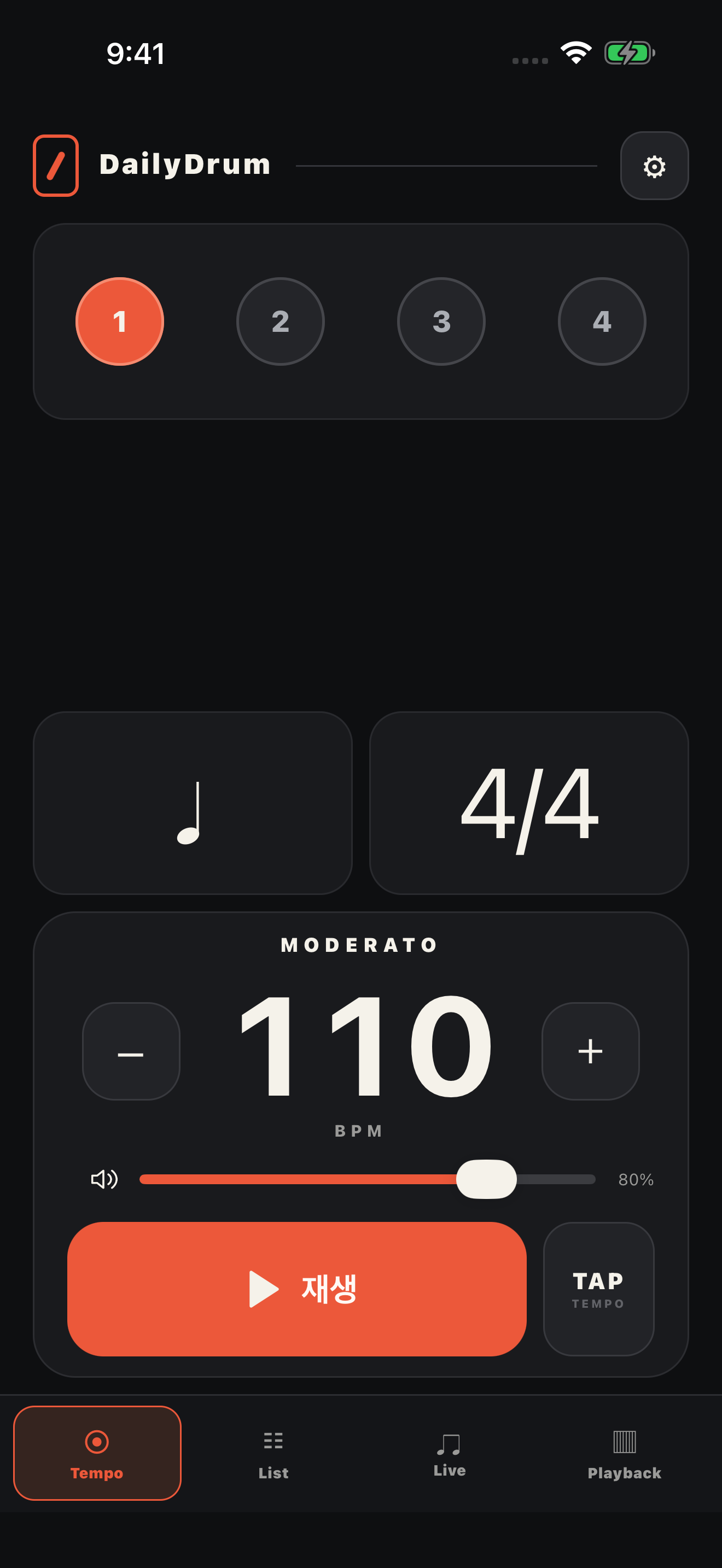
Leave the beat and settings to TEMPO. Keep your focus on playing.
PLAYBACK
On to the next section. Never lose the flow.
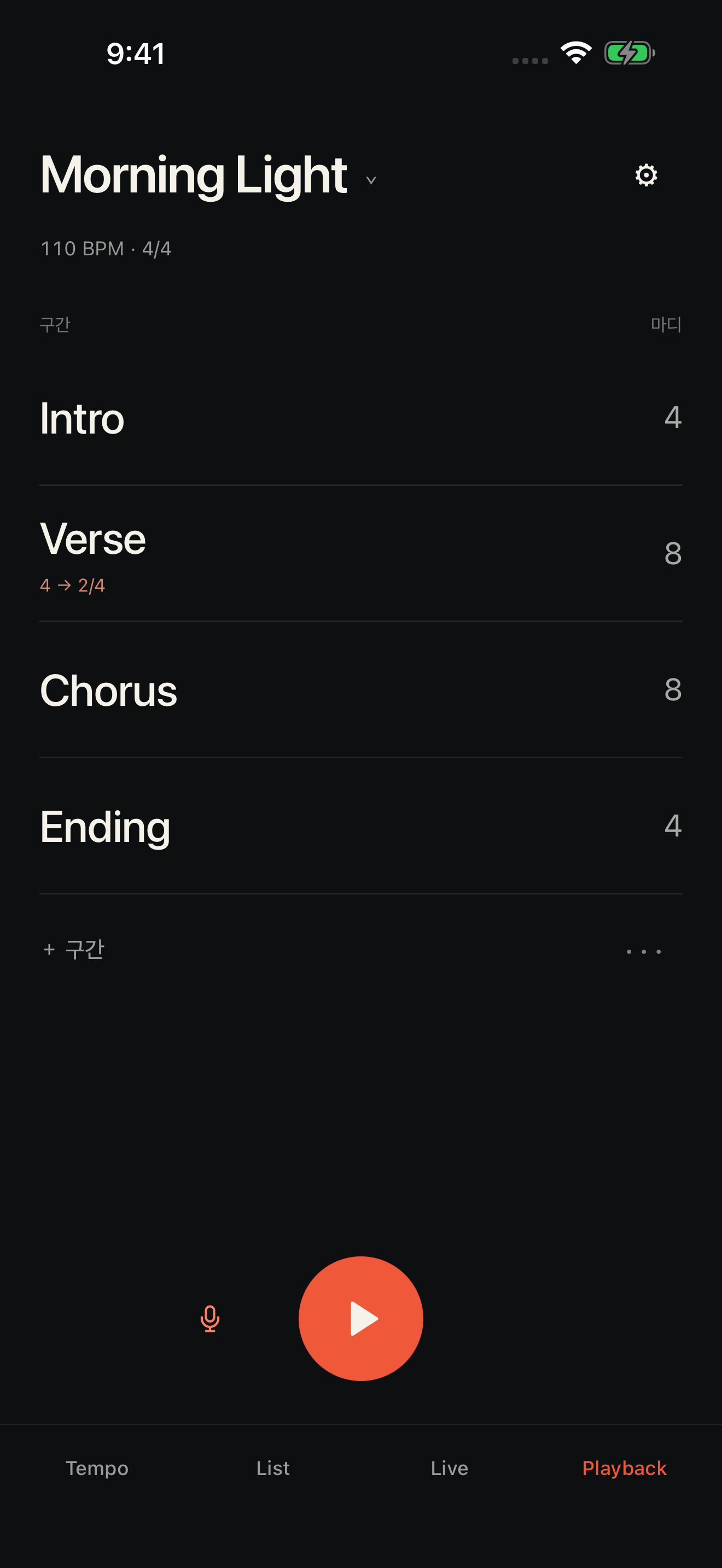
Intro · Verse · Chorus · Bridge · Ending. Save the sections and bar counts of each song, and get a voice cue before the next part begins.
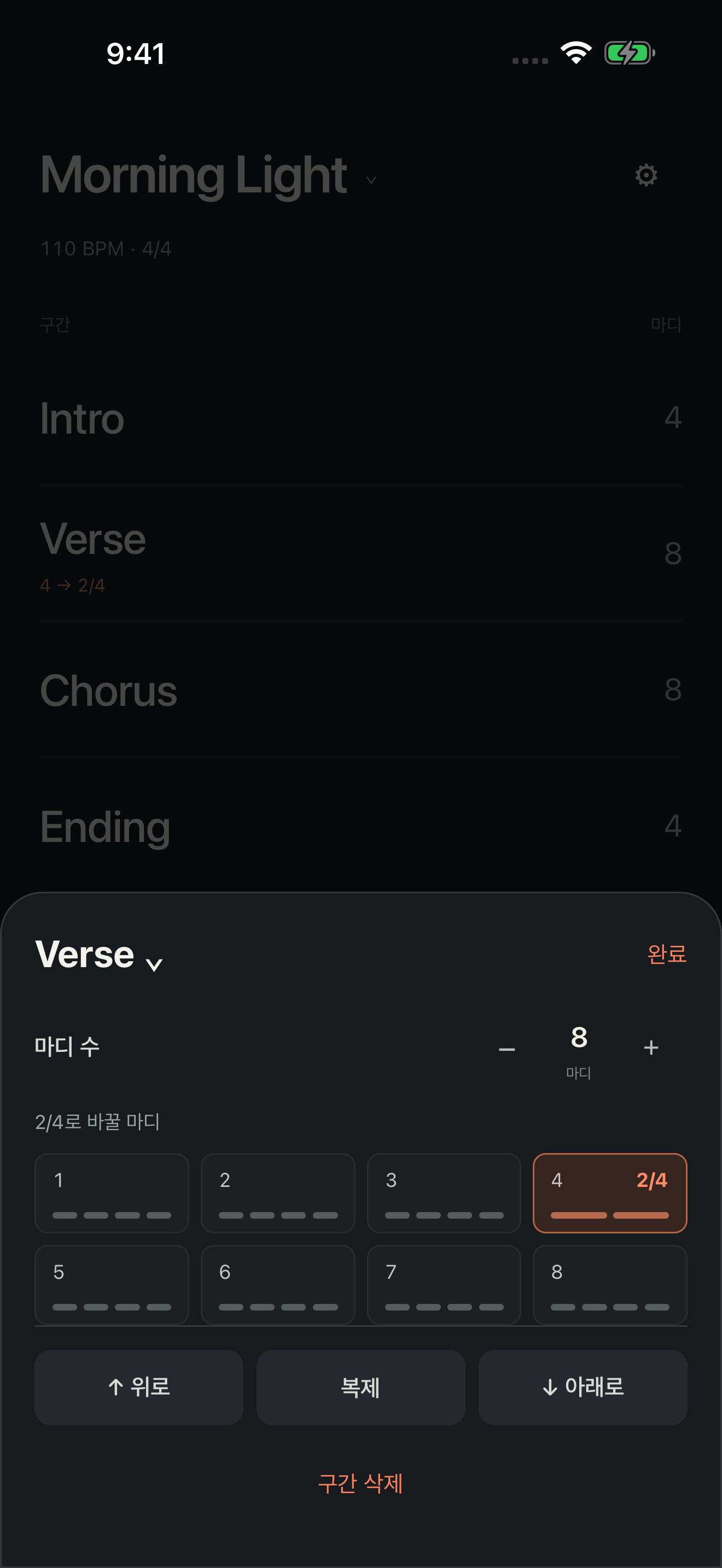
Switch only the bars you need from 4/4 to 2/4
Count-in per song · current section and bar on screen
From the Ending, jump straight into the next song's count-in
Tap a section to set bar count, name, order or duplicate it
Clicks and section cues only. It does not play backing tracks.
MIXED METER
Even one short bar. With a simple tap.
Change only bar 4 of the Verse to 2/4: that bar plays two beats, and the next bar returns to 4/4. No need to split and rebuild the whole section.
Tap a section → choose the bar to make 2/4 → Done
DRUM MACHINE
After the click, your own groove.
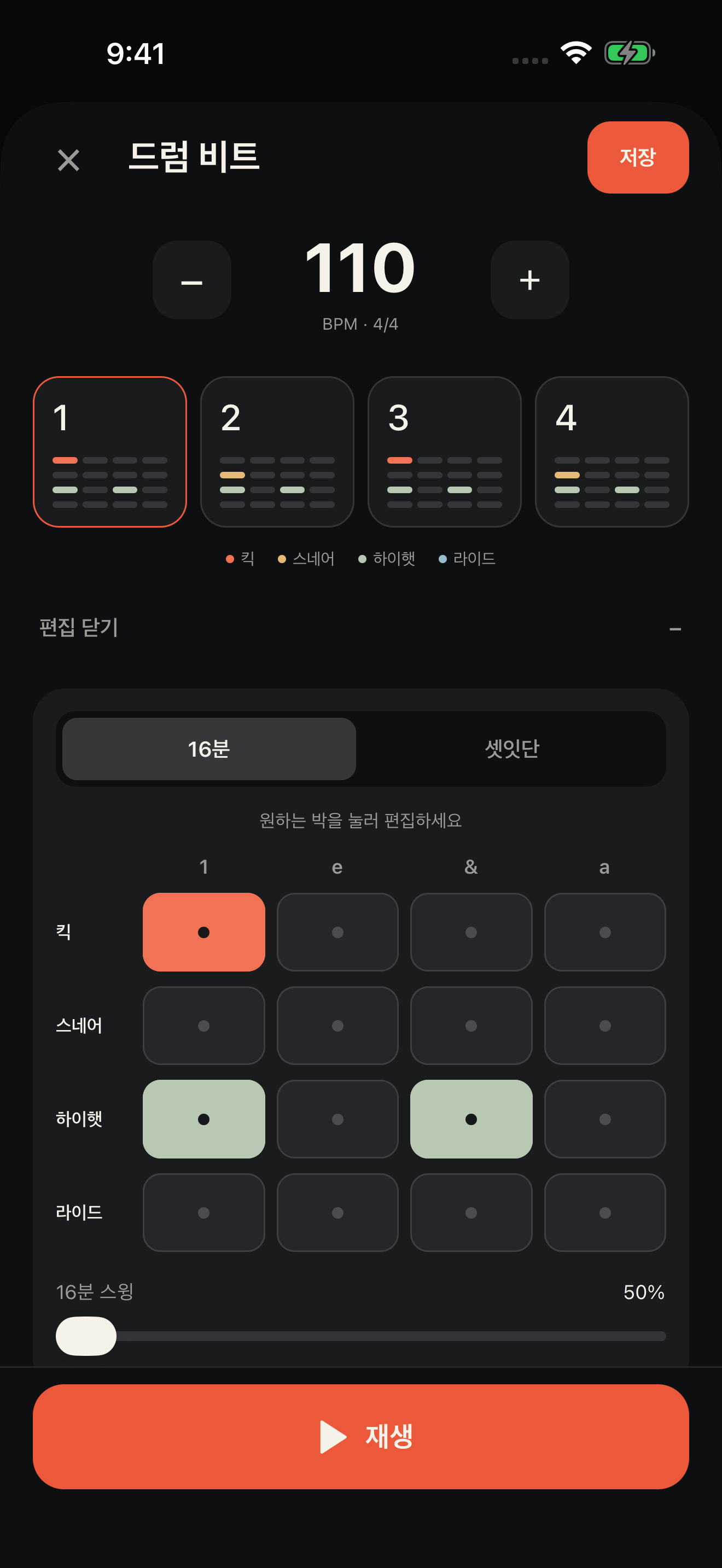
Build beats on four tracks: kick, snare, hi-hat and ride. Start from basic beats or shuffle, jazz and bossa nova presets, then tap the steps to edit the pattern.
4 tracks · 16th-note / triplet grid
16th swing · tempo control · loop playback
Save the current pattern on your device
Hidden tool: tap the DailyDrum logo on the Tempo tab 8 times quickly.
LIST
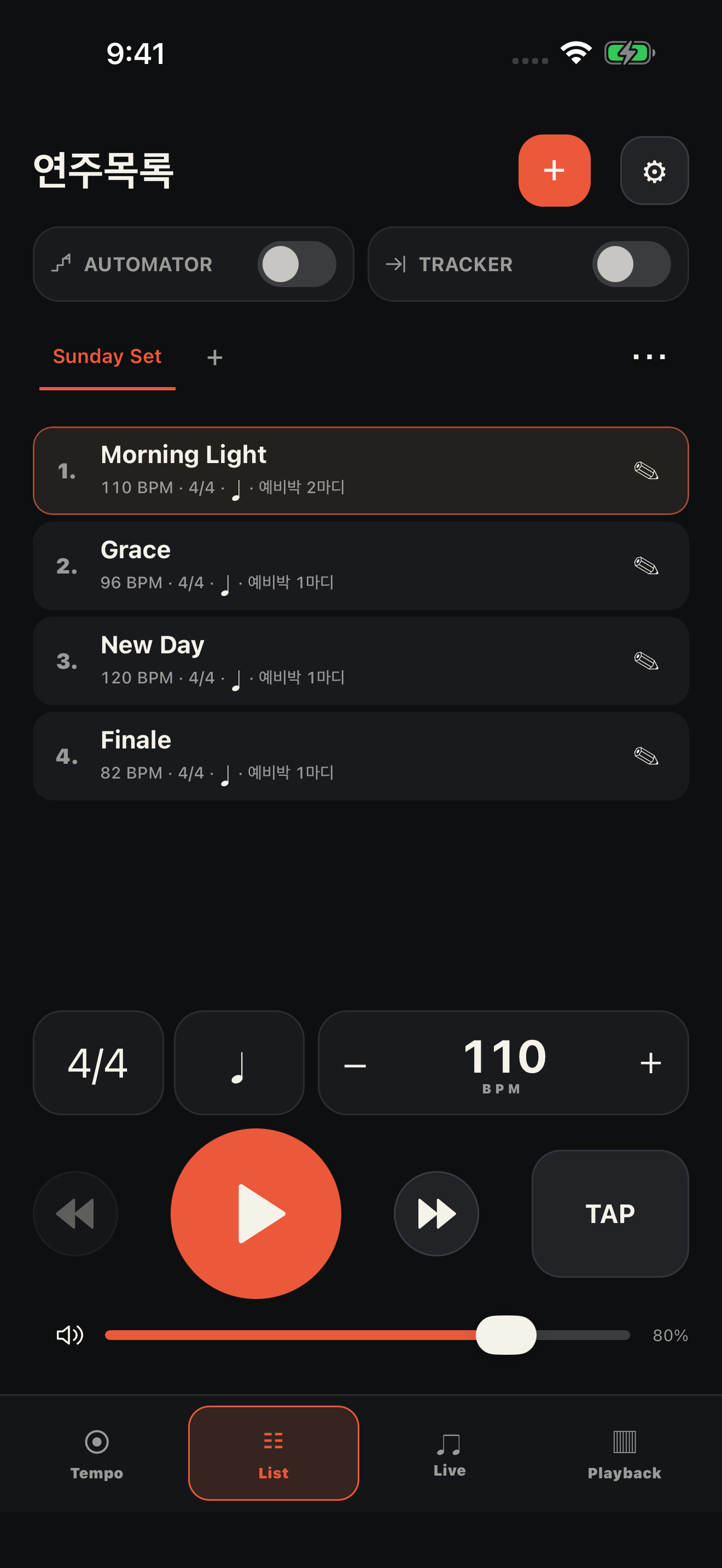
Prepare every song. Share the whole list.
Save BPM, time signature, subdivision and count-in for each song. Organize them in folders and send them as a file; the other person imports it as a new list.
No sign-up · not real-time sync
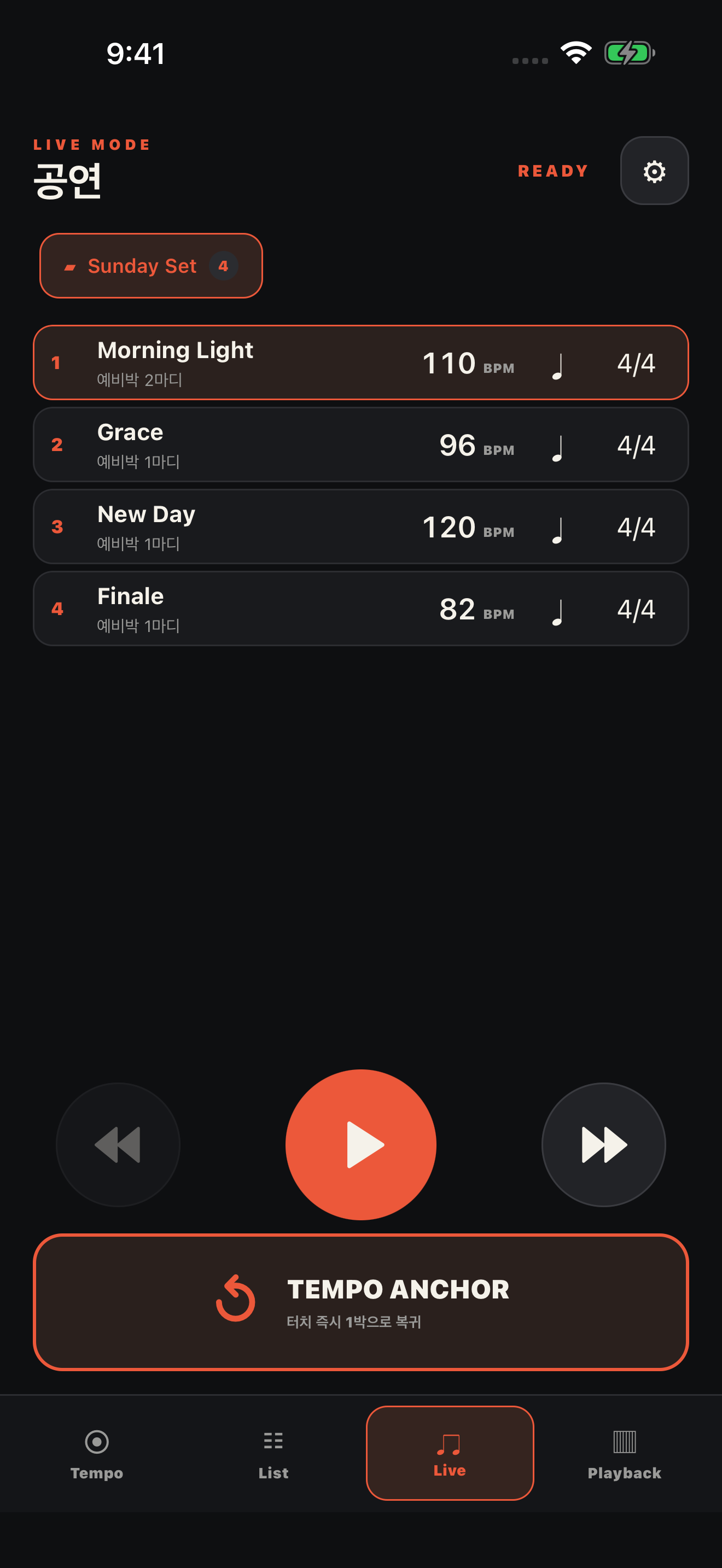
LIVE
On stage, one touch.
Move to the next song and your saved voice count-in gets you ready. Quick BPM, meter and subdivision changes right on screen. TEMPO ANCHOR re-locks the beat while keeping your sound and downbeat accent.
Count-in per song · large controls · no ads in Live
LIST · PRACTICE
Every repetition, one step further.
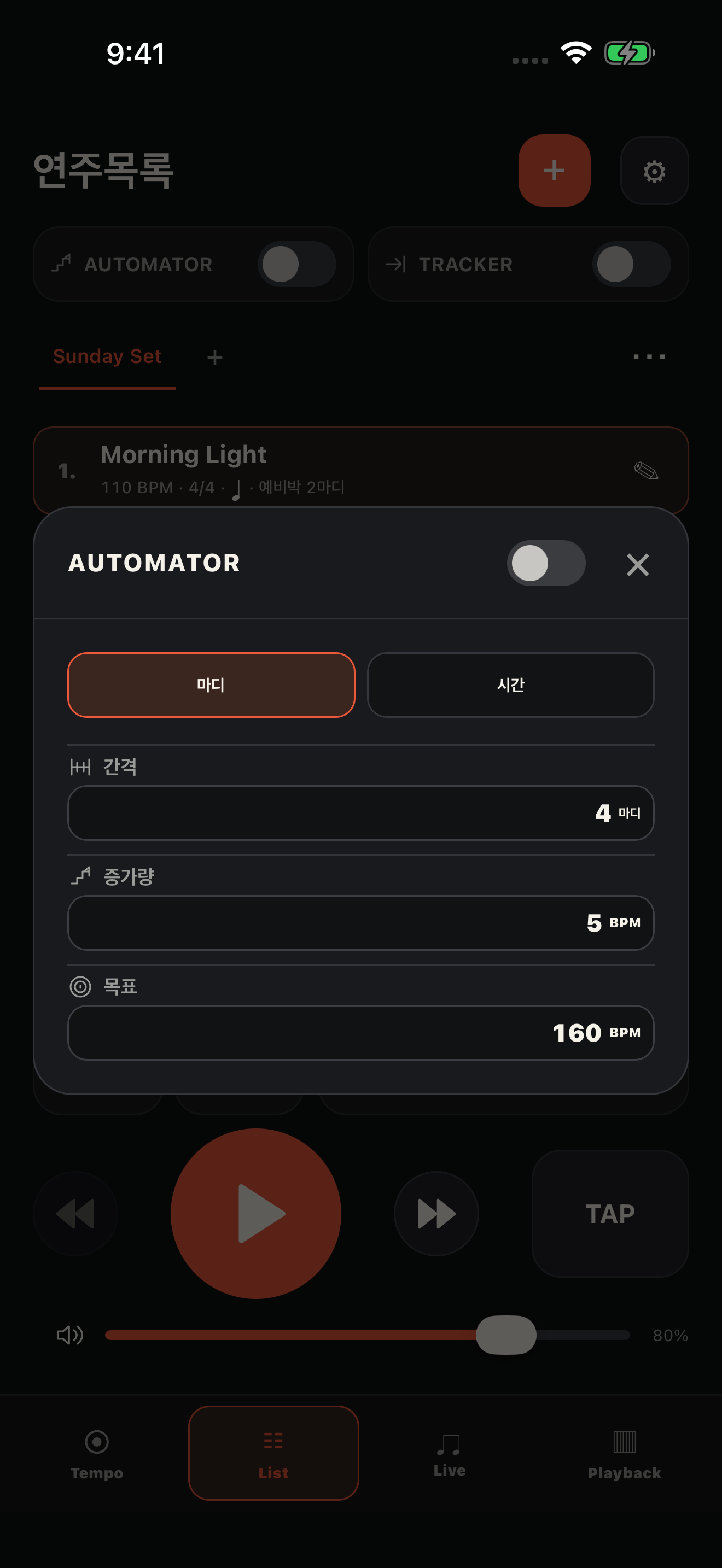
Pick songs and practice settings together in List. The Automator moves the tempo toward your target BPM, and the Tracker moves to the next song after the bars or time you set.
Bars · time · timer · settings in a pop-up
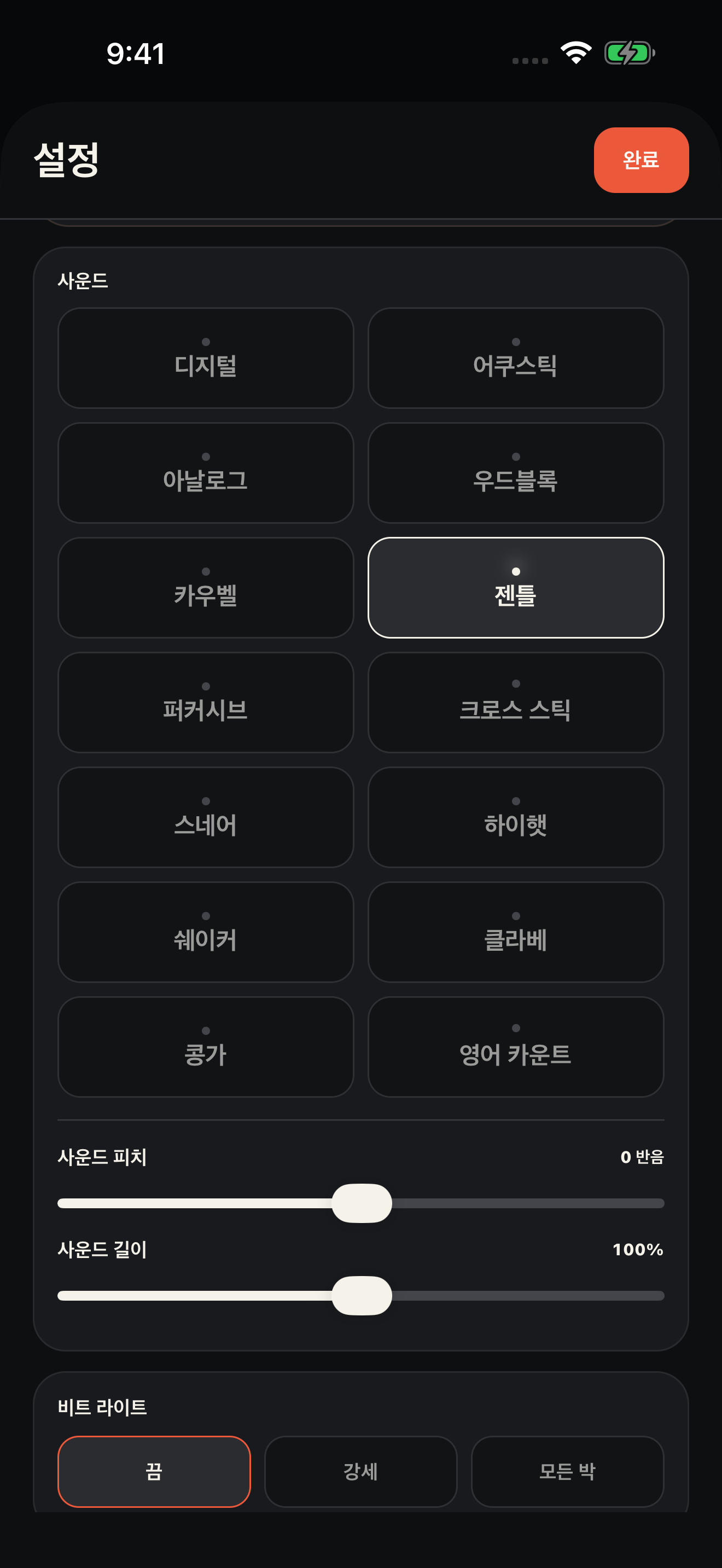
VOICE & SOUND
A clear reference, tuned to your ear.
Bella joins the English voices, Digital and Gentle are newly recorded, and an Acoustic sound is added. Adjust volume, pitch and length, plus accent or mute for each beat.
TAP with your chosen sound · voices in Korean, English, Japanese, Chinese (Simplified/Traditional)
WHAT'S NEW / 2.5.3
Precise sound. Simple controls.
Per-song Playback and mixed meterEdit sections and bars, count-ins and voice cues for the next part. Turn any bar of a 4/4 song into 2/4.
New click soundsDigital, Gentle and Acoustic now have separate accent and regular hits, with clearer control at high volume.
Exactly the sound you choseHear your selected click in TAP, and keep your saved downbeat accent in Tempo Anchor.
Practice tools gathered in ListControl the Automator and Tracker from a compact settings window, with a balanced play bar at the bottom.
TEMPO PRO · iOS
Buy once. Unlimited Playback.
A one-time in-app upgrade, not a separate app. It is not a subscription.
Removes all ads in the app
Unlimited Playback songs
Restore on the same Apple ID
Check the final price on the App Store purchase screen. Purchase may be unavailable until the product passes review.
START FREE
Free is enough to perform.
Use the metronome, List, Live and one Playback song. Any extra Playback setups you already saved are kept, not deleted.
Ads appear only in the banner areas of Tempo and List. Live and Playback show no ads.